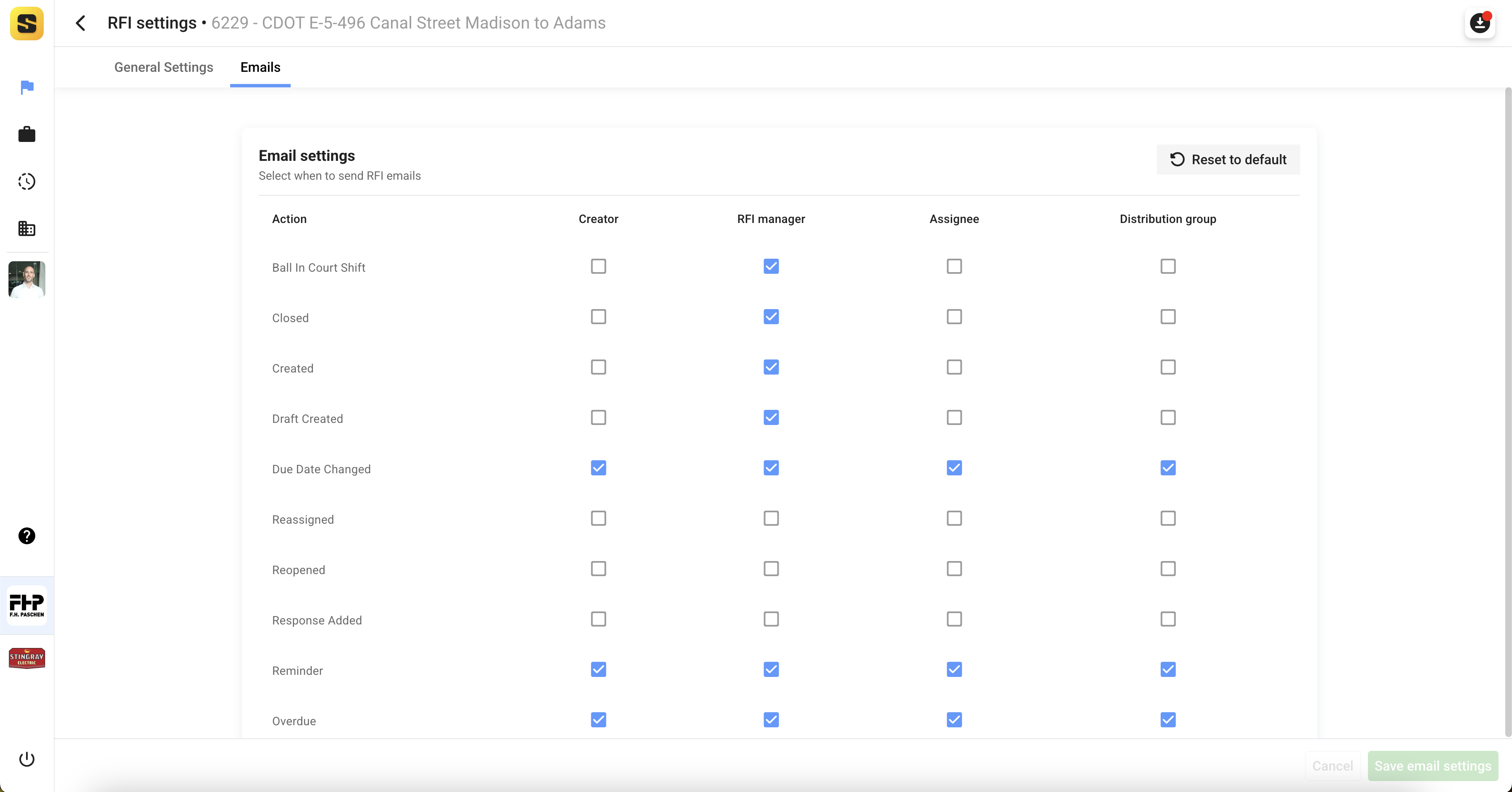
Settings
RFI Settings allow project administrators to configure how RFIs are managed. Review them at the beginning of a project so the defaults are in place before any RFIs are created.
To open them, go to the project's RFIs section and click Settings on the right side of the screen.
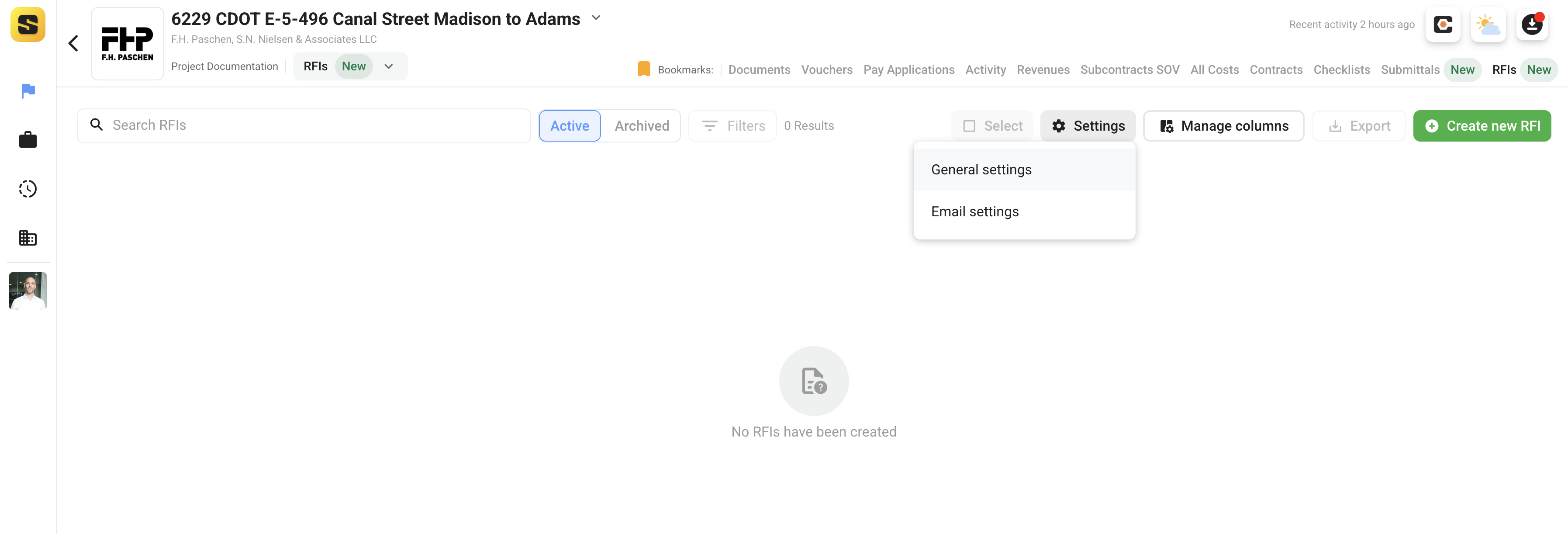
General Settings
- Default RFI Manager: The default project member who manages new RFIs.
- Default RFI Assignee: The default project member assigned to answer new RFIs.
- Allow Private RFIs: Allows RFIs to be private to certain project members and hidden from others. This is useful when vendors and owners are members of your project.
- RFIs Private by Default: Makes all newly created RFIs private, if private RFIs are allowed.
- Answer to new RFI questions will be due: Number of days respondents have to respond once an RFI is open.
- Only show official responses to standard members: Hides all responses not marked as Official Response from standard project members.
- Assignee response is required by default: Requires the RFI assignee to respond.
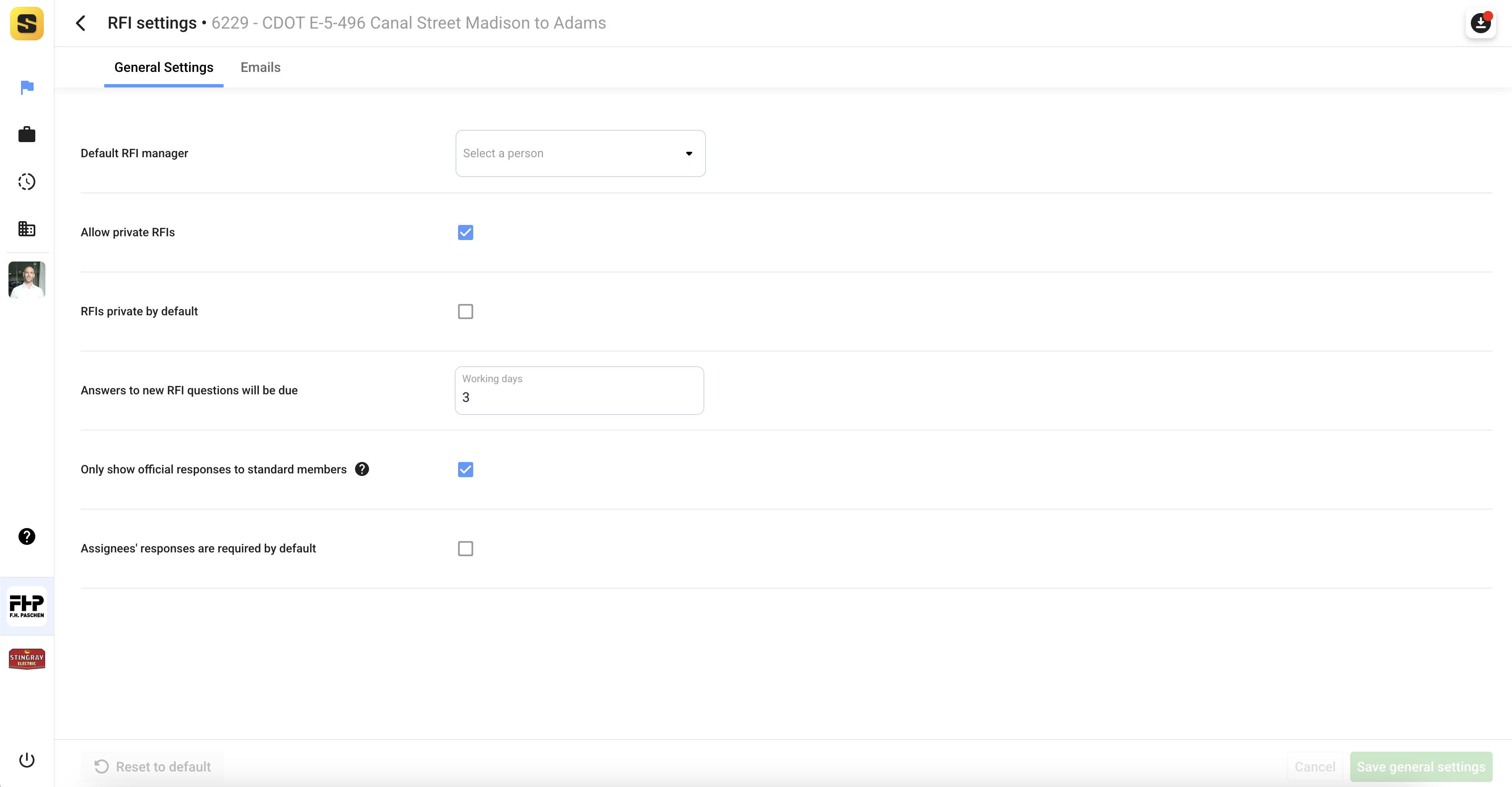
Email Settings
Email settings control which participants receive notifications for different RFI events, such as creation, responses, reassignment, reopening, closing, and overdue reminders.